> ## Documentation Index
> Fetch the complete documentation index at: https://docs.kash.bot/llms.txt
> Use this file to discover all available pages before exploring further.
# Creating an Account
> How to create your Kash account and wallet
Get started in seconds - creating your Kash account takes just 2 clicks through X (Twitter).

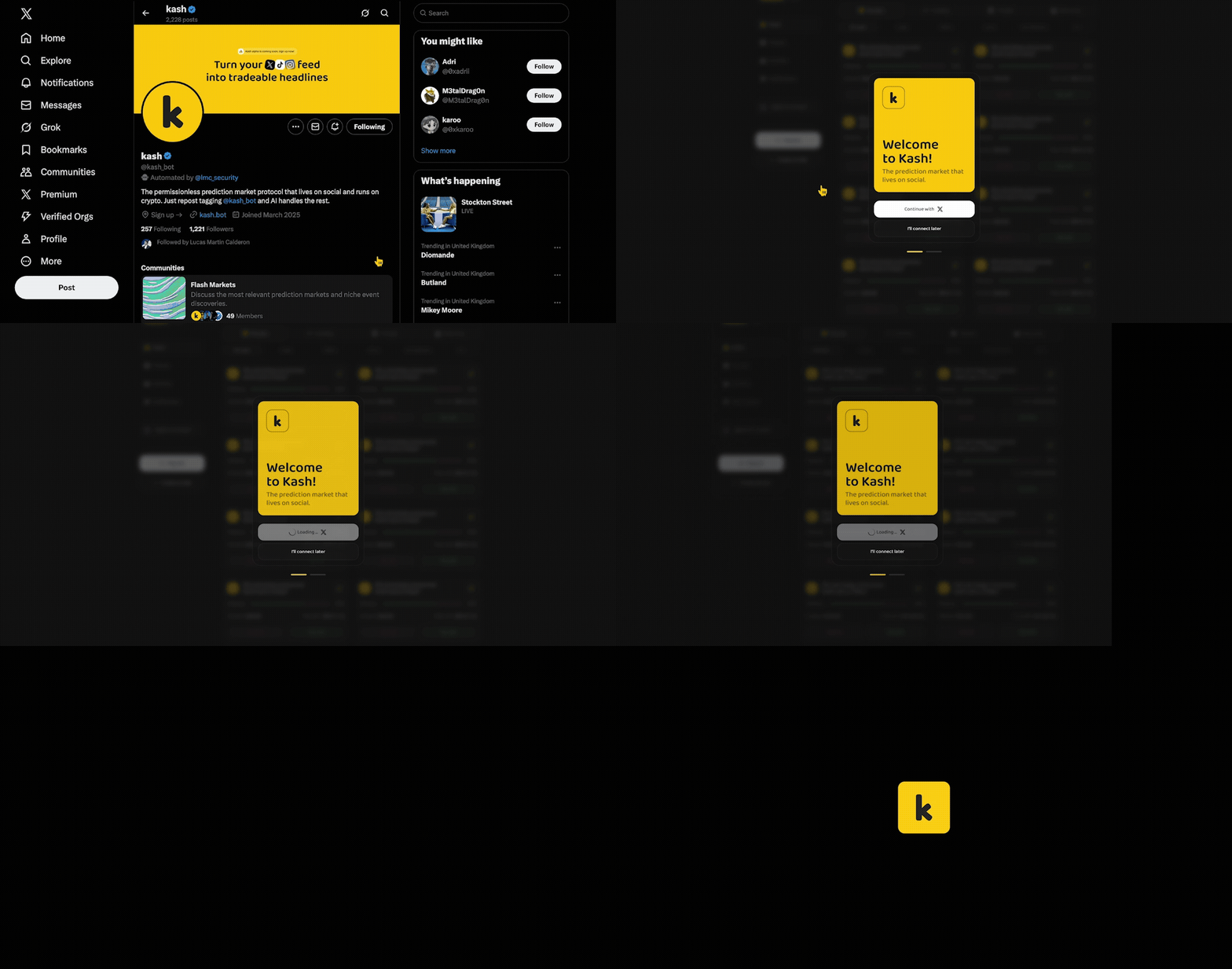 * Look for @kash\_bot in any prediction market thread
* Or mention @kash\_bot in your own tweet
* Or send a DM to @kash\_bot
* Kash bot will reply with your personal sign-up link
* Click the link to open kash.bot
* Authorize with your X account (one click)
* Your wallet is automatically generated
* Linked to your X account
* No seed phrases to write down
* Ready to fund and start predicting
* Click "Connect with X"
* Authorize the connection
* Your wallet is automatically generated
* Linked to your X account
* No seed phrases to write down
* Ready to fund and start predicting
***
# How Account Creation Works
## Secure Wallet Technology
**Advanced security without complexity:**
* **Multi-party computation (MPC)** protects your private keys
* **No seed phrases to manage** - recovery through X authentication
* **Non-custodial design** - you always control your funds
* **Zero single points of failure** - distributed security model
## Your Account Features
* **You own your funds** - Kash never holds your assets
* **Private keys secured** through advanced cryptography
* **No third-party control** over your wallet
* **Permissionless access** - Kash cannot freeze your account
* **Gas-free transactions** - Kash sponsors all network fees
* **Cross-device access** - sign in from any device
* **Instant availability** - start predicting immediately
* **Social recovery** - restore access through X authentication
* **Account abstraction** - complex transactions made simple
* **Automatic token swapping** - predict with any supported token
* **Sponsored transactions** - no need to manage ETH for gas
* **Smart contract integration** - programmable wallet capabilities
# Security & Best Practices
## Protecting Your X Account
**Your X account is your key to Kash:**
* **Enable two-factor authentication (2FA)** for maximum security
* **Use a strong, unique password** not used elsewhere
* **Never share login credentials** with anyone
* **Monitor for suspicious activity** and report immediately
* **Keep the X app updated** on your devices
## Wallet Security Features
* **Funds always under your control** - Kash has no access
* **Recovery through X login** - no complex seed phrases
* **Transparent on-chain** - all activity publicly verifiable
Creating a Kash account is free, instant, and gives you immediate access to all prediction markets. No complicated setup, no waiting periods. Just connect and start predicting!
Fund your wallet to start predicting
Discover prediction markets to predict on
* Look for @kash\_bot in any prediction market thread
* Or mention @kash\_bot in your own tweet
* Or send a DM to @kash\_bot
* Kash bot will reply with your personal sign-up link
* Click the link to open kash.bot
* Authorize with your X account (one click)
* Your wallet is automatically generated
* Linked to your X account
* No seed phrases to write down
* Ready to fund and start predicting
* Click "Connect with X"
* Authorize the connection
* Your wallet is automatically generated
* Linked to your X account
* No seed phrases to write down
* Ready to fund and start predicting
***
# How Account Creation Works
## Secure Wallet Technology
**Advanced security without complexity:**
* **Multi-party computation (MPC)** protects your private keys
* **No seed phrases to manage** - recovery through X authentication
* **Non-custodial design** - you always control your funds
* **Zero single points of failure** - distributed security model
## Your Account Features
* **You own your funds** - Kash never holds your assets
* **Private keys secured** through advanced cryptography
* **No third-party control** over your wallet
* **Permissionless access** - Kash cannot freeze your account
* **Gas-free transactions** - Kash sponsors all network fees
* **Cross-device access** - sign in from any device
* **Instant availability** - start predicting immediately
* **Social recovery** - restore access through X authentication
* **Account abstraction** - complex transactions made simple
* **Automatic token swapping** - predict with any supported token
* **Sponsored transactions** - no need to manage ETH for gas
* **Smart contract integration** - programmable wallet capabilities
# Security & Best Practices
## Protecting Your X Account
**Your X account is your key to Kash:**
* **Enable two-factor authentication (2FA)** for maximum security
* **Use a strong, unique password** not used elsewhere
* **Never share login credentials** with anyone
* **Monitor for suspicious activity** and report immediately
* **Keep the X app updated** on your devices
## Wallet Security Features
* **Funds always under your control** - Kash has no access
* **Recovery through X login** - no complex seed phrases
* **Transparent on-chain** - all activity publicly verifiable
Creating a Kash account is free, instant, and gives you immediate access to all prediction markets. No complicated setup, no waiting periods. Just connect and start predicting!
Fund your wallet to start predicting
Discover prediction markets to predict on